Pharos: Token Library
LLM transcripts are the ultimate proprietary dataset - get the most out of yours
TL;DR: A Mac app to make your past AI transcripts searchable, and easy to mine for insights. Free and open source (MIT).
LLM transcripts are goldmines. When you work with an AI to design or build a system, any value that comes from it originates in the back and forth conversation. The code gets committed, but the conversation often contains insight and context that never makes it into git (and shouldn’t).
If a human says:
- “Oh we actually don’t want to do X because of Y”
- “Can you revert X, I don’t think we need it anymore because of Y”
- “Can you do a deep dive to explain X to me, I want to make sure I understand it”
Or an LLM says (in a visible reasoning summary or response)
- “I hadn’t realized that X”
- “Ahh now I see that we always have to do X when we do Y”
- “I thought X was going to work but it looks like it did not”
Every one of those snippets is wildly useful - for future users or modifiers of the system, the deliberative process is more valuable than the final result.
Thankfully, conversations are recorded. Claude Code, and Codex, and other agentic harnesses all write down your conversation to a file. These “transcript” files are typically JSONL, structured slightly differently for each model provider, but they record everything about a conversation, including the messages to and from the agent, the agent’s tool calls, and the files that were modified. These files are gold mines.
I built Pharos to mine gold.
What is Pharos
Pharos is a Mac App that pulls in transcripts of chat conversations from known locations, backs them up, and indexes them to make them unreasonably useful across a wide range of questions you might want to ask about your chat conversations. Pharos can be used to look at your conversations and find answers to your questions:
- What kind of errors are my models making frequently?
- What websites have my agents visited, CURL’ed, or POST’ed to?
- Which conversation did I mention “curmudgeon” in?
- In what weeks am I breaking even on API-level pricing, and by how much?
- How many tokens have I used this week?
- How much of my prompts are human generated?
- Do cross-model reviews actually yield meaningful PR findings?
- What are common sources of latency in my conversations?
- Where in agent transcripts do I see the phrase “Oh I misunderstood”?
- How efficient are my compaction strategies?
- I remember that I accidentally pasted an API key into a chat conversation - is it the key XYZ or does that not show up in conversation history (i.e. already rotated)?
- Where are my uses of sub-agents inefficient/how much context do I waste with common prefixes?
But these are questions a human might ask. Pharos also holds the indexes and tools to help other LLMs find and navigate past conversations:
- What conversations are most relevant to the task I’ve been given, XYZ?
- What chat conversation produced this chunk of code that I now need to modify?
- What were the last 10 chat conversations in this repo about?
Pharos ships with a super simple, context efficient MCP server that gives LLMs access to layered sets of tooling that let them explore data at the right level of granularity.
How does it work?
Pharos is simple. It’s a very basic database and Mac App Wrapper that backs up and indexes conversations so you can (instantly) see metrics and answers to each of these questions.
Pharos operates best off of an SSD - that way you can plug it into multiple computers (if you have several dev machines like I do) and it pulls in transcripts and keeps them in sync automatically, automatically syncing from its host machine every time it’s plugged in.
On Naming
I started off calling this project “Alexandria”, like the library, but then I realized the value isn’t in the archival, it’s in the way that indexing can shine light on data at scale, and thus the lighthouse was a better analogy. Thankfully Alexandria had both - the lighthouse was called “Pharos”.
Why not rely on the labs?
Most folks are relying on built-in harness and agent systems to manage context and history for them. After all, every agentic system ships with built-in tools for managing memory across sessions, for backing up transcripts to their clouds, etc.
Folks will say “oh Claude will just update its own memory” or “if it’s important the agent will write it down somewhere to the repo”. Those might be true today, but the incentive misalignment around transcripts should give you pause:
- Model providers have every incentive to make transcript files proprietary - to prevent distilling, engender lock-in, and centralize control and access to the tokens you’ve paid for.
- Model providers also have every incentive to keep your use of AI inefficient. Pharos has helped me radically reduce token usage while achieving better outcomes. This allows me to increase the efficiency of my AI spend, and reduce the amount of money I have to fork over every month.
- Model providers might not be so cynical to clamp down on transcripts today, but there’s no guarantee about tomorrow. A new release of Claude Code could easily wipe out the transcript directory on your Mac (replacing its functionality with a cloud-based alternative that they control). Back up your data while you can.
Think about it a different way: given you’re spending hundreds (or thousands) of dollars to access the results from LLMs, why are you not backing up (and getting the most value out of) the core thing you’re paying for?
The Downside: Visibility
The main downside of using Pharos is that it forces you to grapple with three very uncomfortable truths:
- You’ve wasted huge volumes of usage on stupid stuff or silly bugs (I had accidentally launched a 2k agent swarm once with the wrong permissions that blew through a billion tokens)
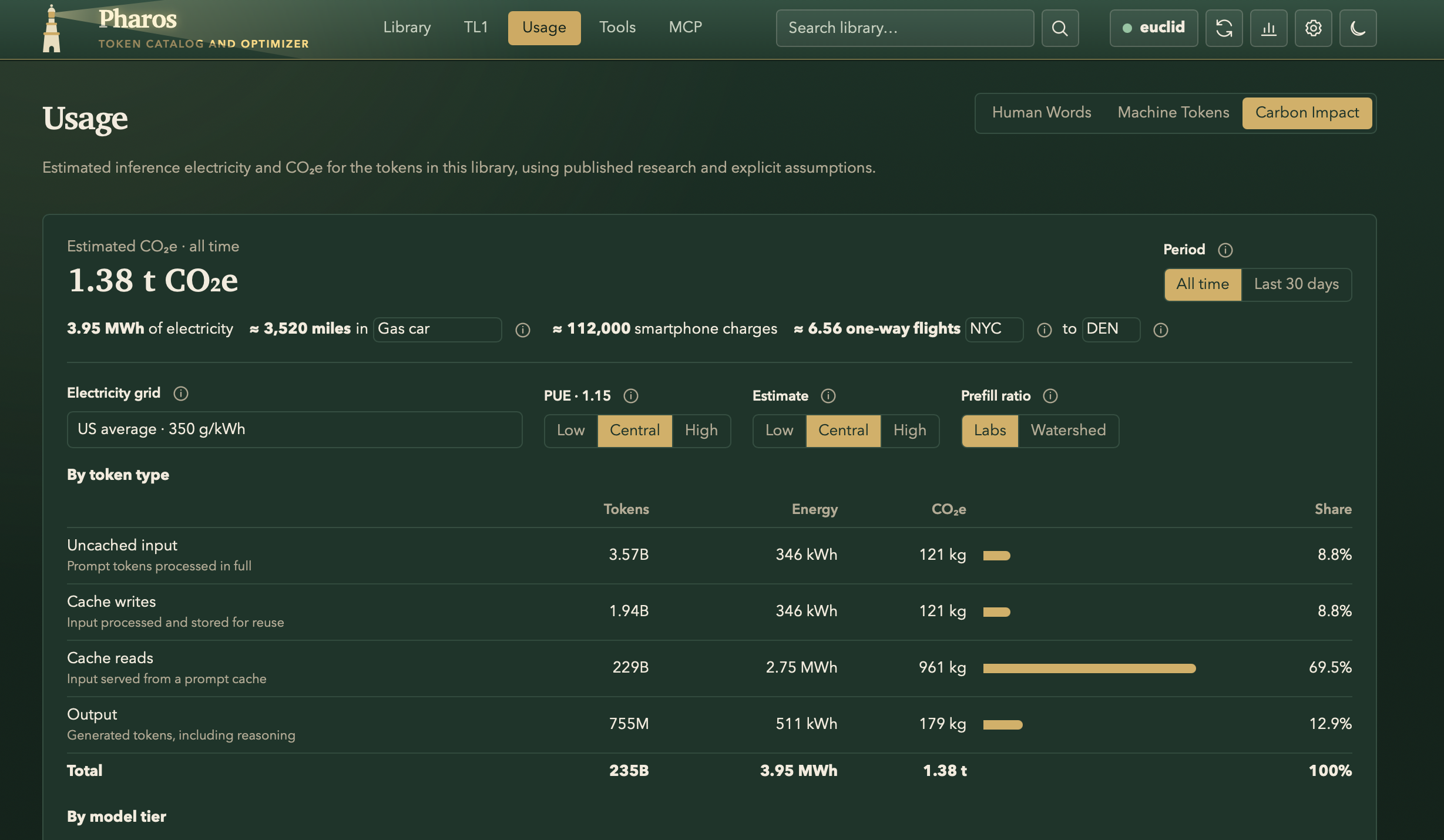
- If you’re like me, your AI use has quickly eclipsed all of your other forms of CO2 (Pharos comes with a CO2 estimate - it’s rough)
- My usage would be unaffordable at API-level pricing. At API list prices (which Pharos helps you keep up to date), Pharos estimates my usage would have cost more than $150k.
I’m sold, how do I use it?
Download the Mac app here - it’s free, and you can audit its dependencies - it has essentially no non-standard deps.
LLM transcripts are the ultimate proprietary data set - get the most out of yours.
Appendix: Screenshots/Workflow
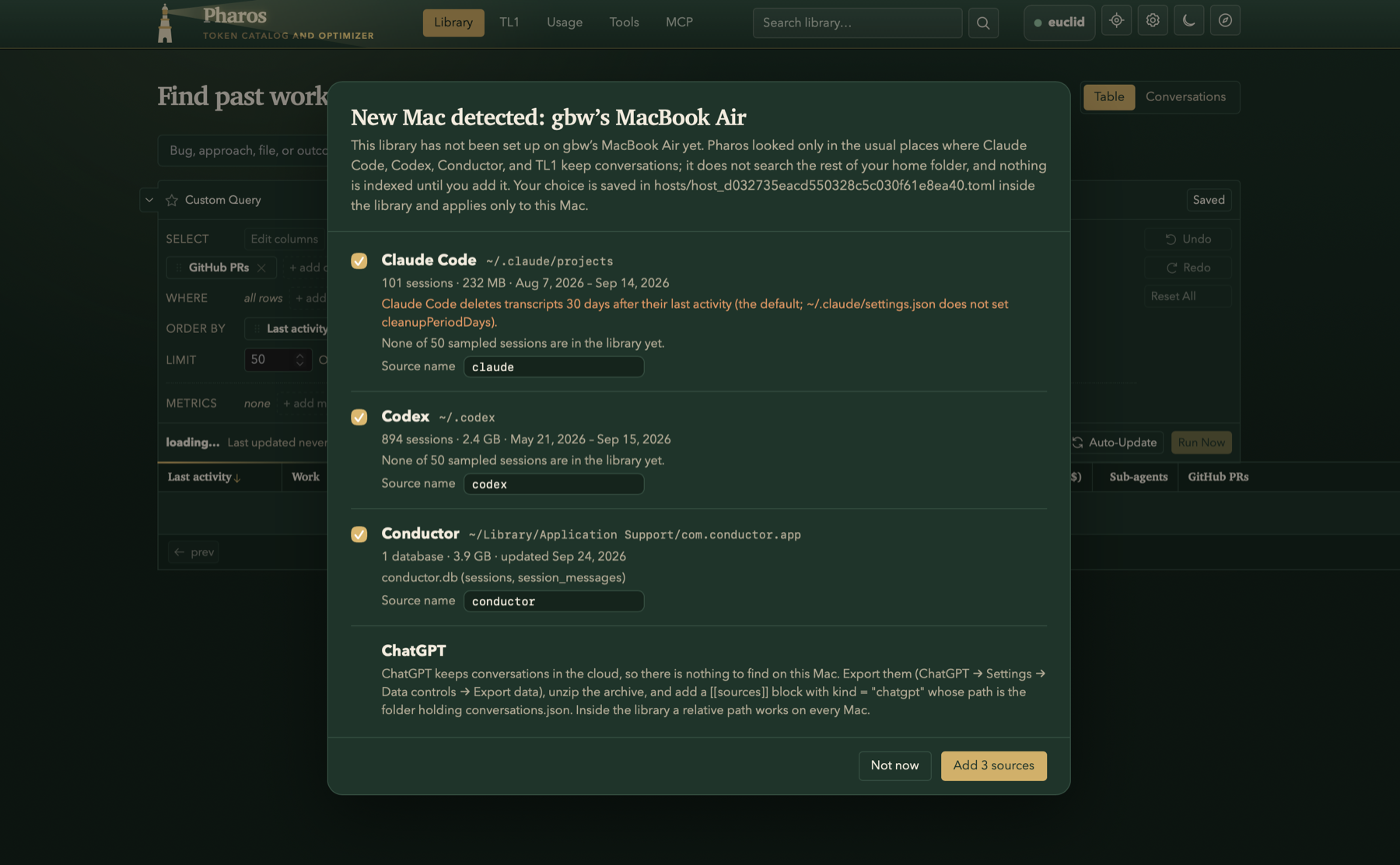
1 - Choose your sources
The first time you open Pharos, it checks the places where Claude Code, Codex, and other AI harnesses store transcripts.
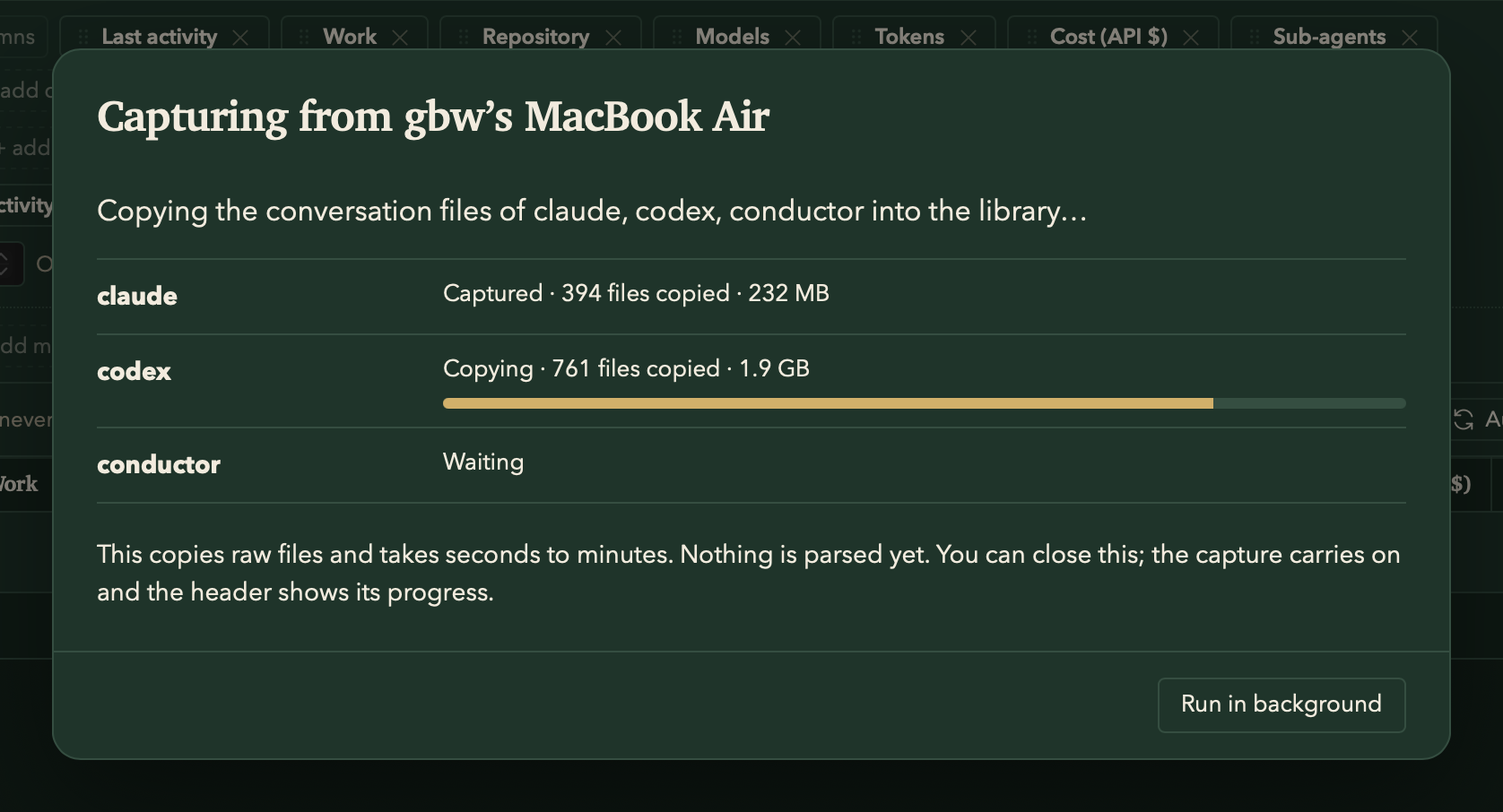
2 - Capture
Pharos copies conversation files, unparsed, into the library. This takes seconds to minutes, making it easy to plug in an SSD and quickly extract content.
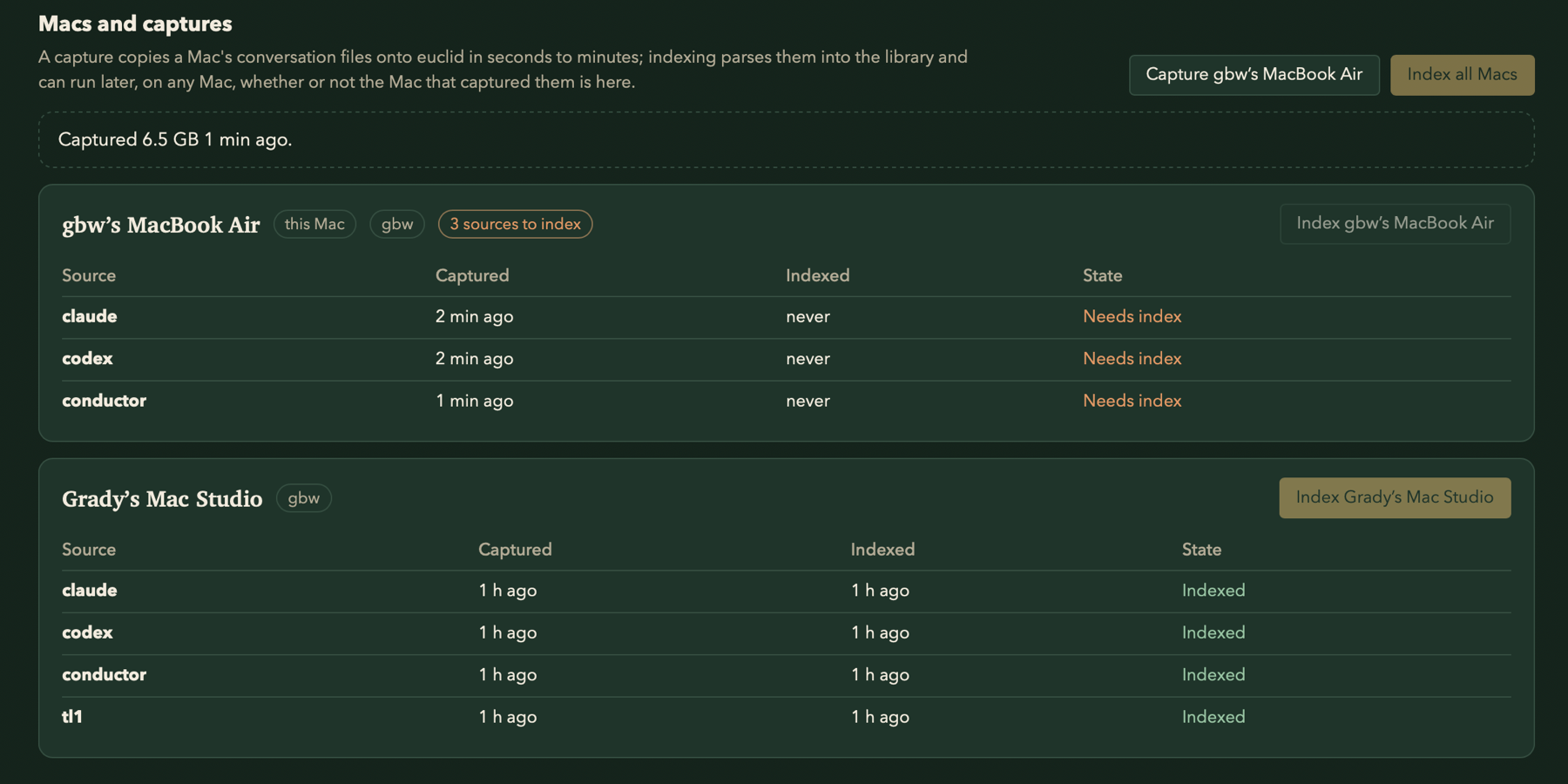
3 - Index, on any Mac
Captured files are indexed into a searchable catalog in a secondary step, which can be programmed to happen overnight. Indexing can happen later, on any Mac. Indexing from scratch can take hours, but incremental indexing is typically under a minute - I have it run every 30m.
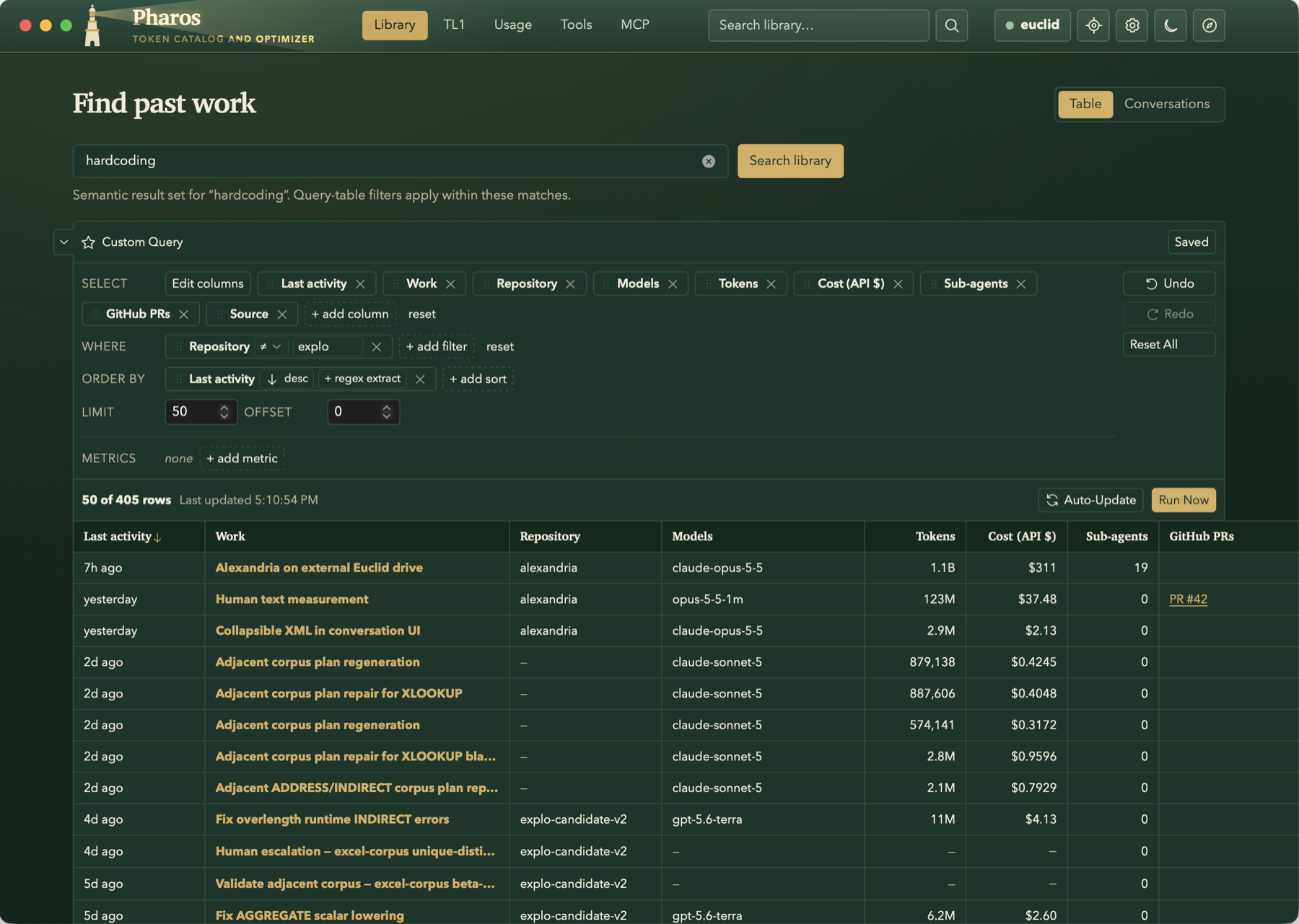
4 - Find past work
The Library tab offers the ability to search by regex, trigram, vector, or use a combination of boolean and/or logic to find just the conversations you want to.
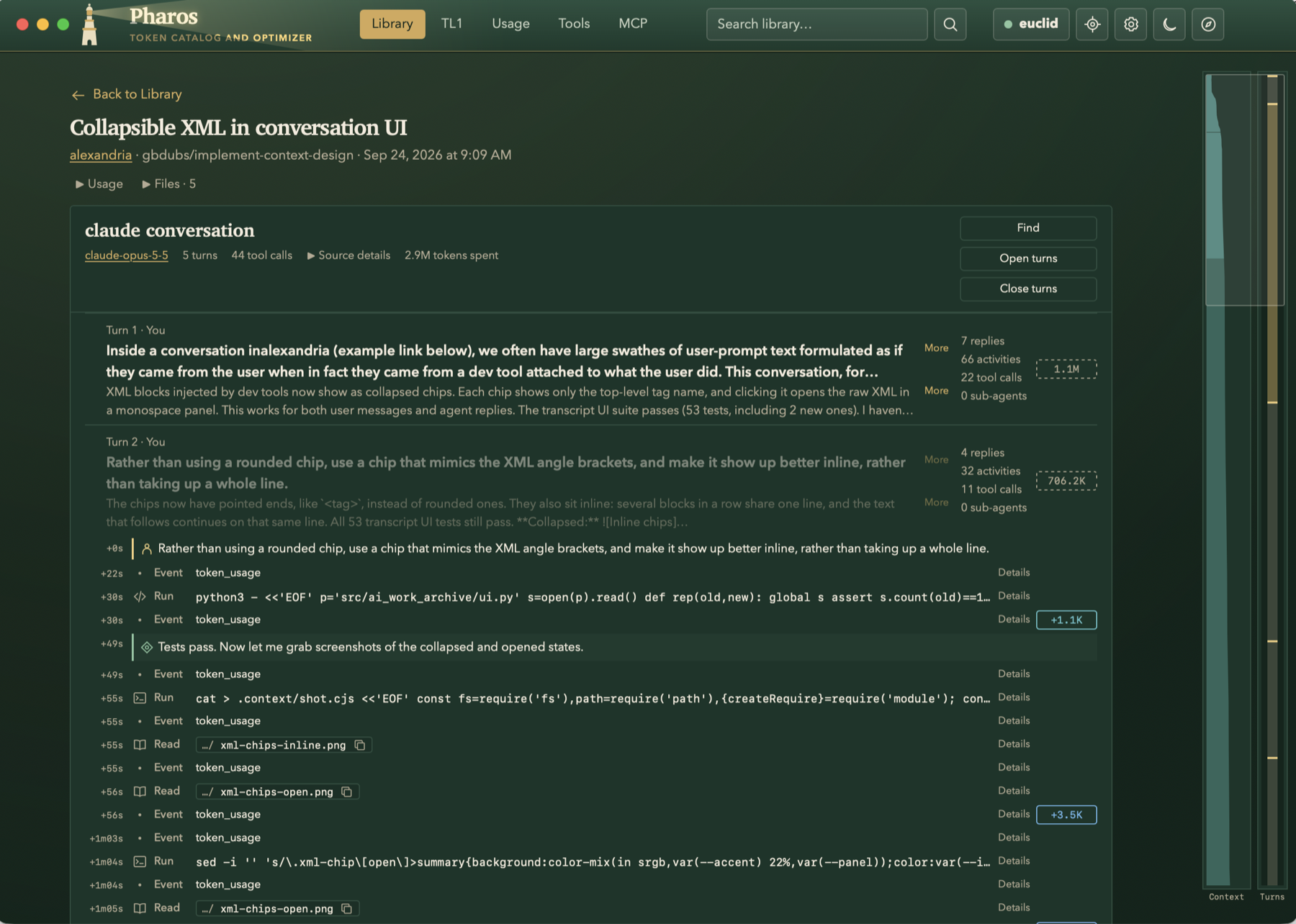
5 - Read a conversation
The conversation view: prompts, responses, and every agent action in between, marked with the token additions to context. The scrollbar on the right tracks context size across the whole conversation, and clicking it jumps to that point.
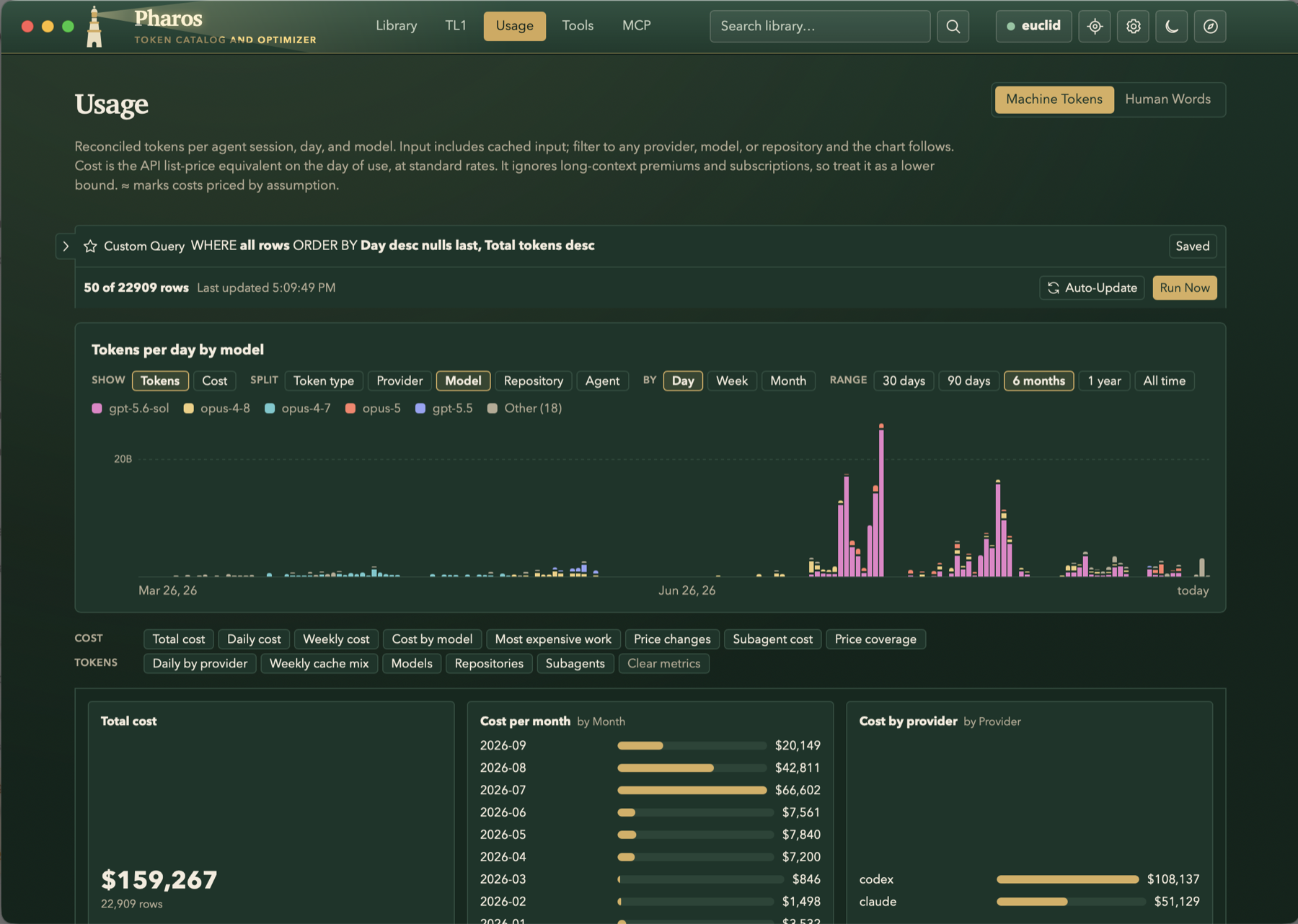
6 - See where the tokens go
We’ve all wondered: how many tokens have I used, and how much would that have cost? Now you can know.
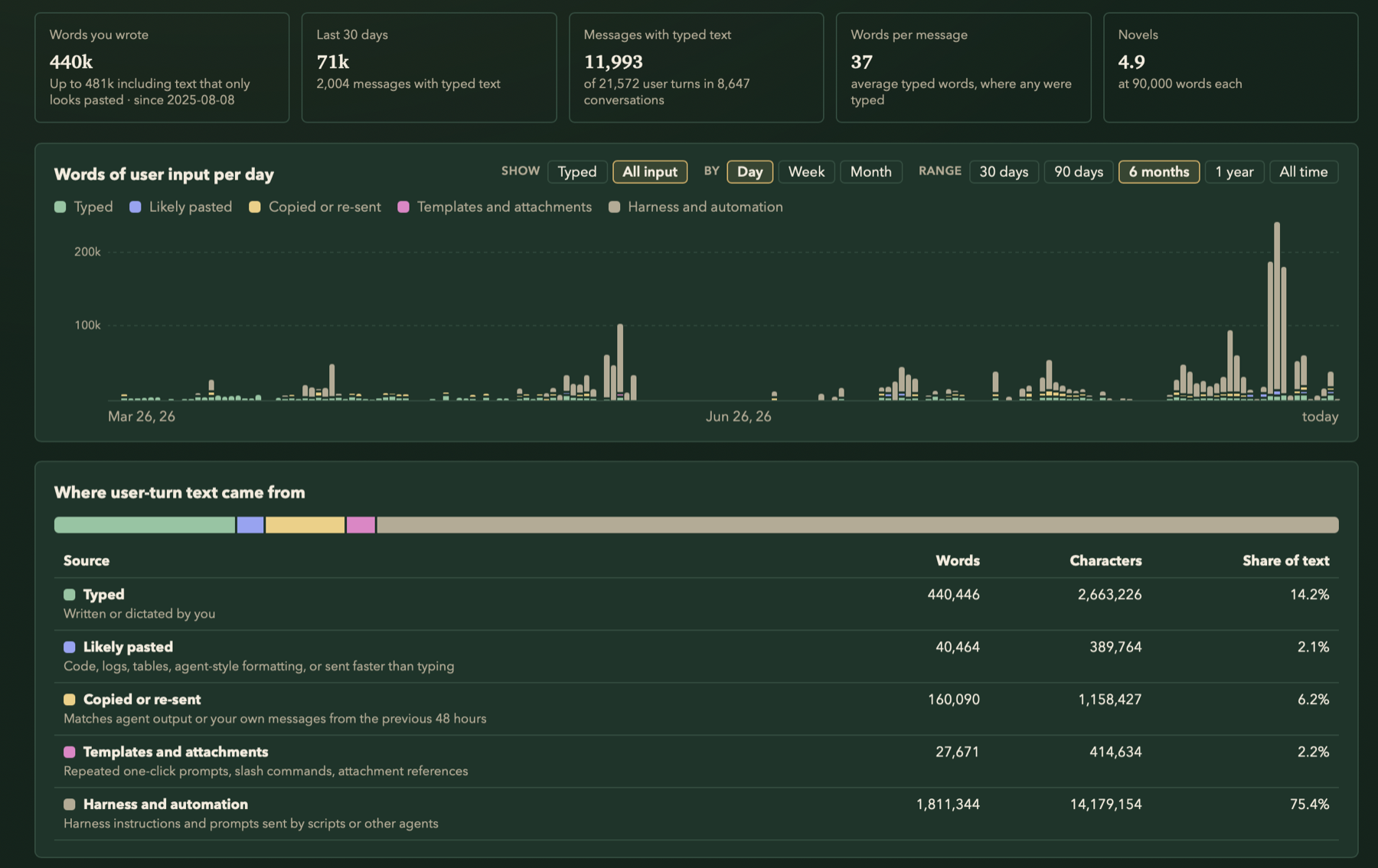
7 - Count the words you actually typed
But how much are you actually typing? How much thought are you adding to the conversation? I love this tab.
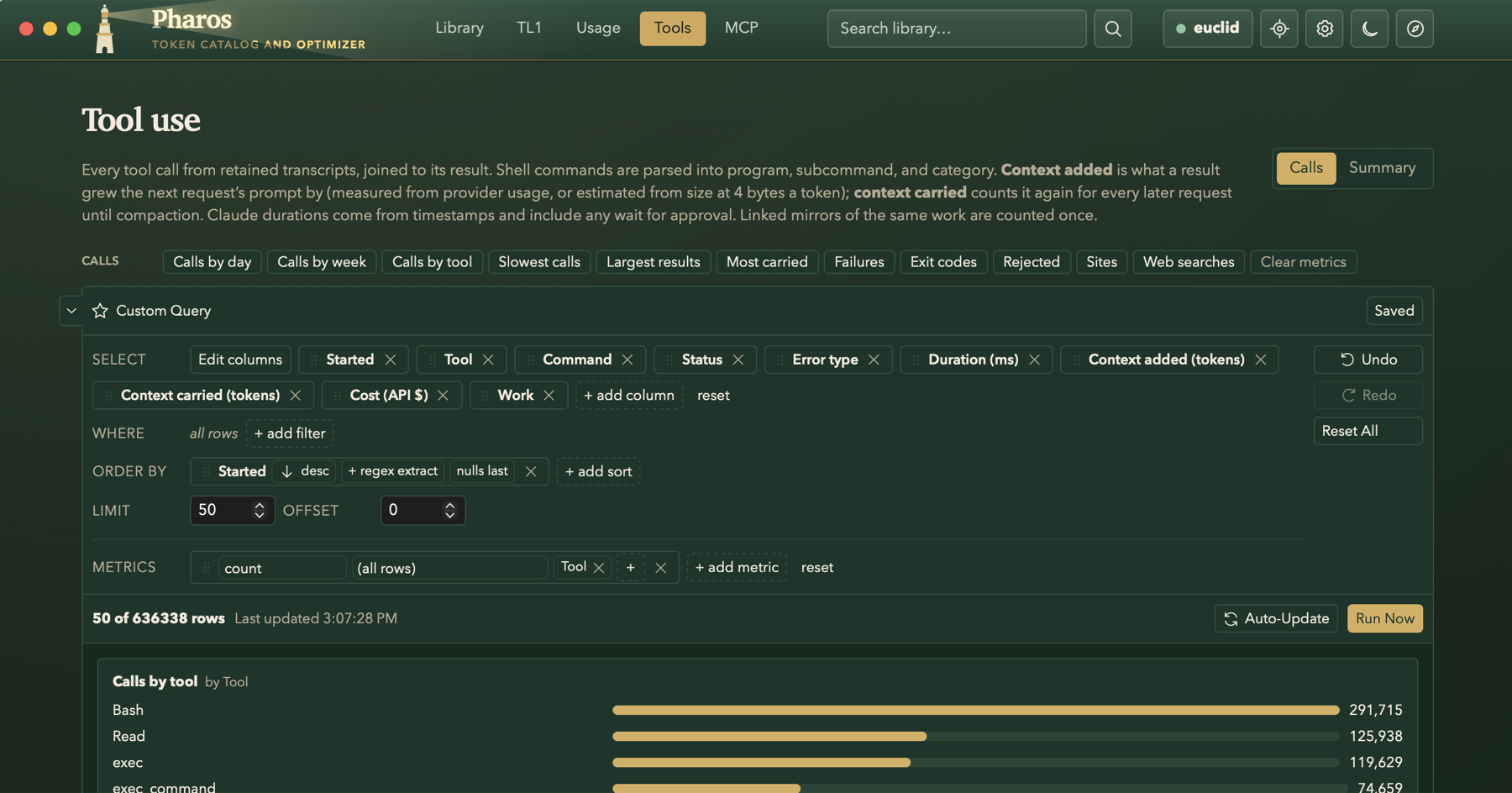
8 - Audit tool calls
Tool calls are a rich dataset in which you can see patterns of usage, find evidence of exfiltration, and debug frequently failing tool calls.
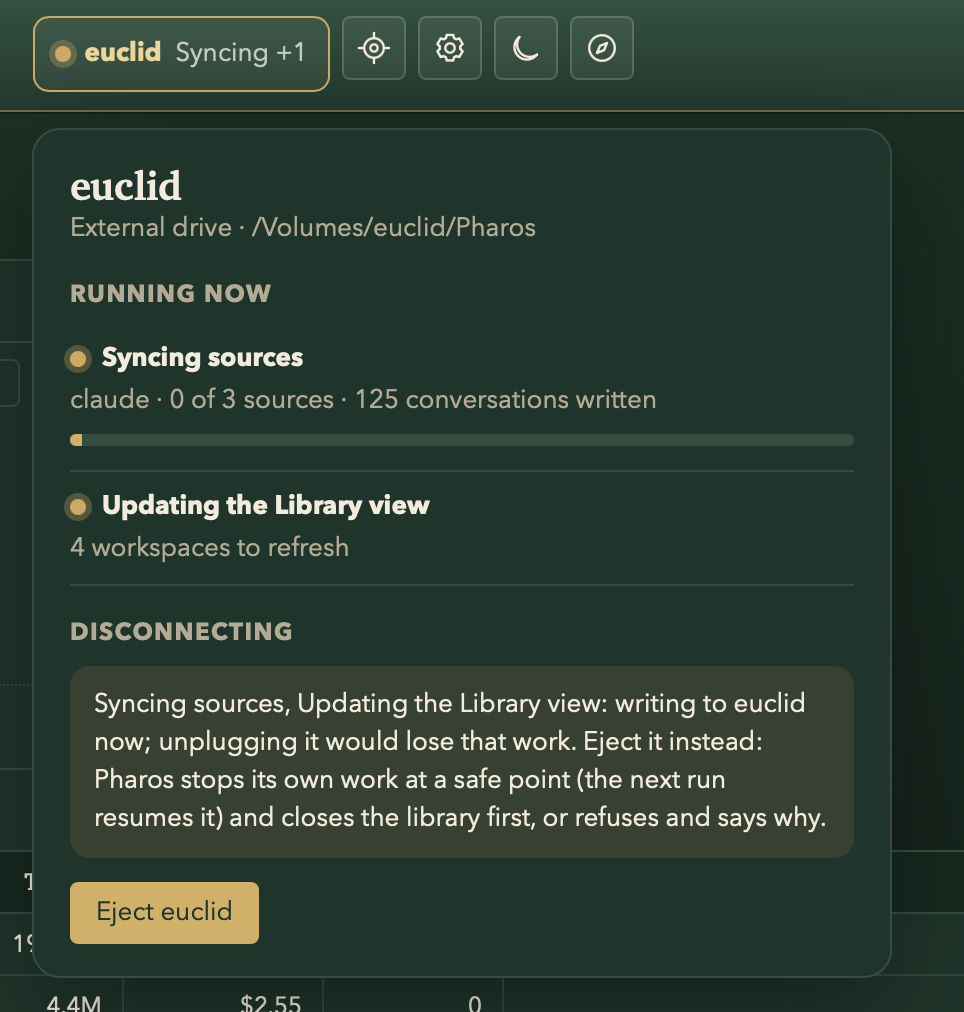
9 - Unplug safely
Because Pharos runs (best) on an external SSD, it helps you understand when ejecting is safe and can manage ejects for you.
10 - Carbon accounting